

Metallic Ink
+$0.10 ea.

Metallic Ink
Event Badge Add-on
+$0.10 ea.
- Elevated visual Impact
- Highlighted branding
- Increased memorability
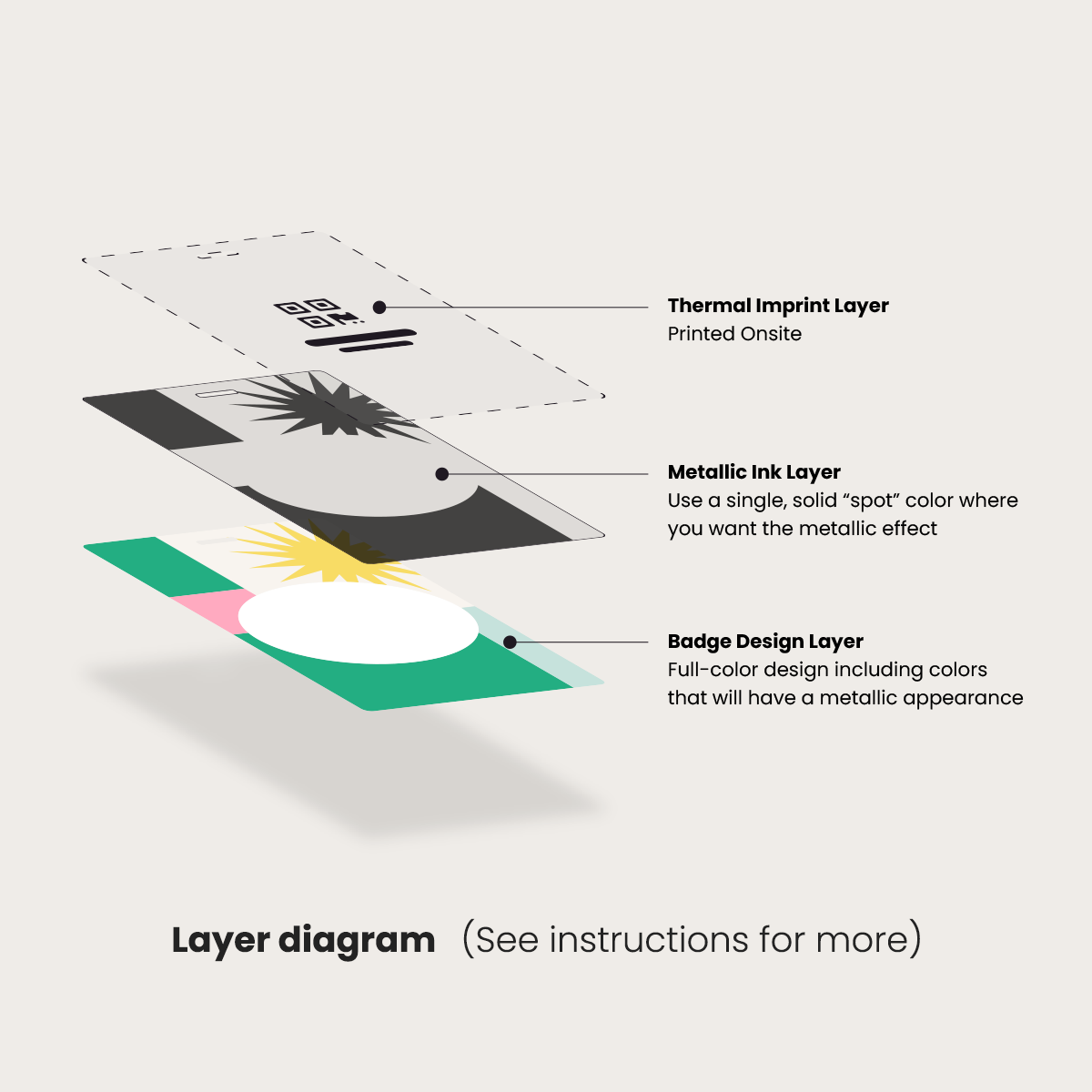
Metallic Inks add a reflective, foil-like shine to highlight specific areas of your badge. This effect is created by placing vector artwork on a dedicated layer that tells the printer exactly where to apply the metallic finish.
Instructions for Submitting Artwork for Metallic Ink Badges
Define the Spot Color
In Illustrator or InDesign, open the Swatches Panel and create a new swatch:
- Name it “Silver.”
- Set the Color Type to Spot Color.
- Apply this swatch fill to all elements on the “Silver” layer.
Use Solid Vector Shapes
Keep metallic elements as vector art (PDF, Illustrator). Use a single, solid spot color fill - gradients and effects will not translate to metallic ink.
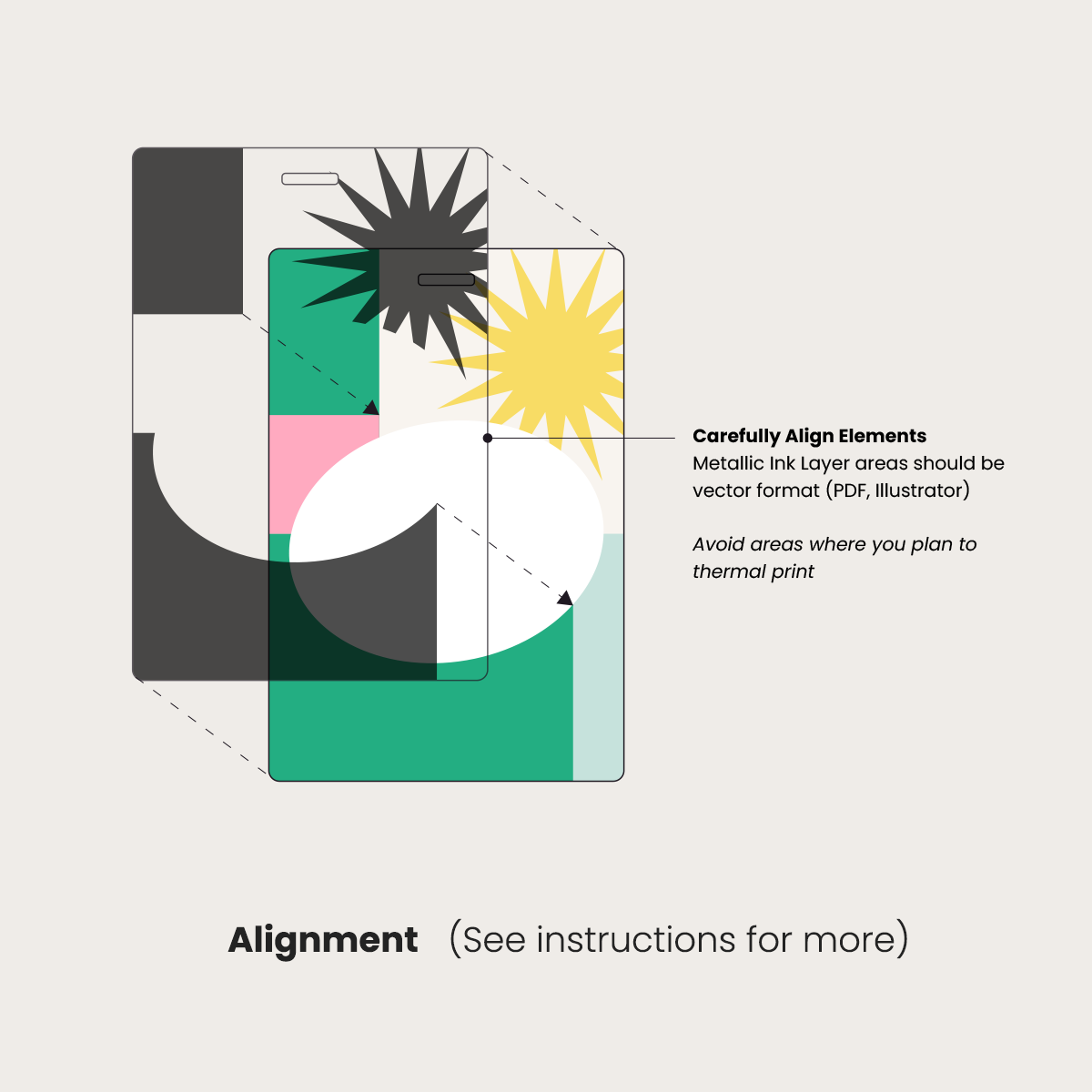
Carefully Align Elements
Ensure metallic areas align with your design. Avoid areas used for thermal printing.
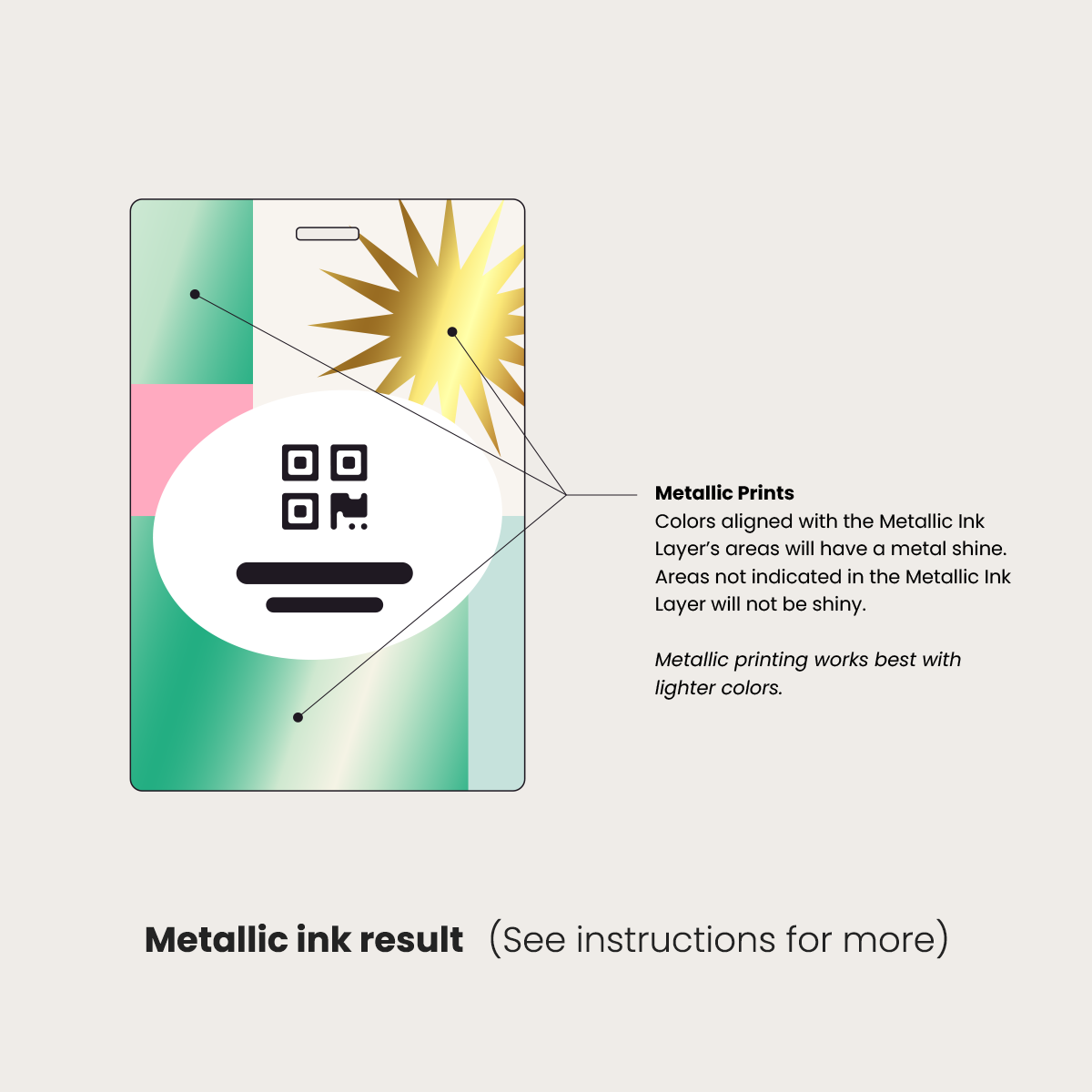
Visual Results
- Artwork on the “Silver” layer prints with a metallic shine
- All other areas print normally
- Metallic effects work best with lighter colors
Submitting artwork with a properly built “Silver” layer ensures a clean, consistent metallic finish.
This is an add-on product. To add this to your order, select it under Add-ons on a main product page.
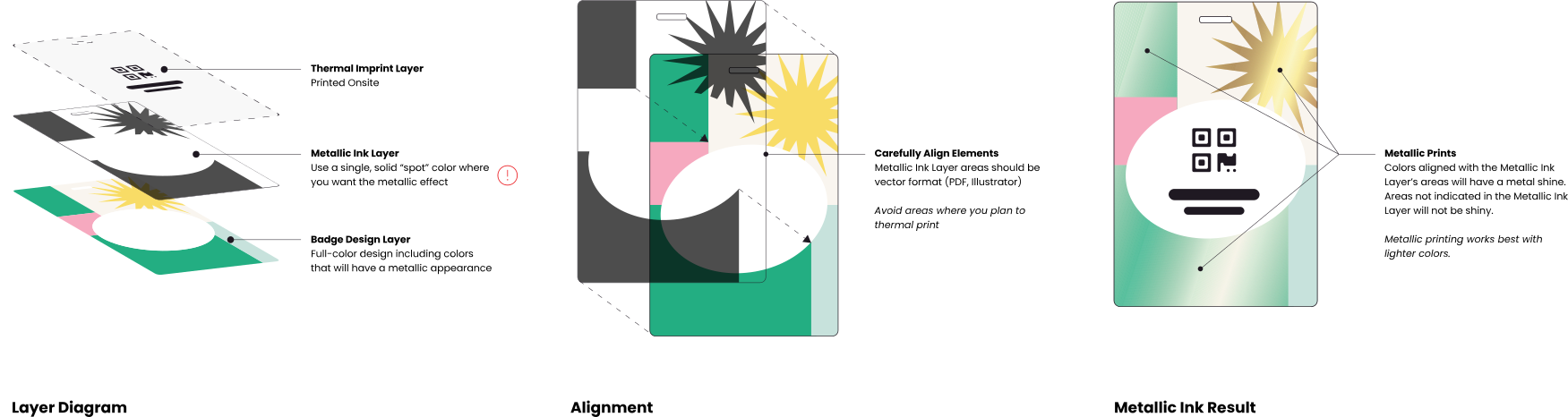
Metallic Ink Design Instructions
For badge orders with metallic inks, please include a design file with metallic areas on their own layer.
 Download PDF